Encrypted end to end
Every edit, picture, comment and engagement name is encrypted with the notebook's own key. When someone leaves, the notebook moves to a new key they never get.
Fieldwork is the workspace for GRC consultants and audit teams. Take notes that know your frameworks, collect evidence straight from your client's systems, and turn findings and risks into a report in your own brand.
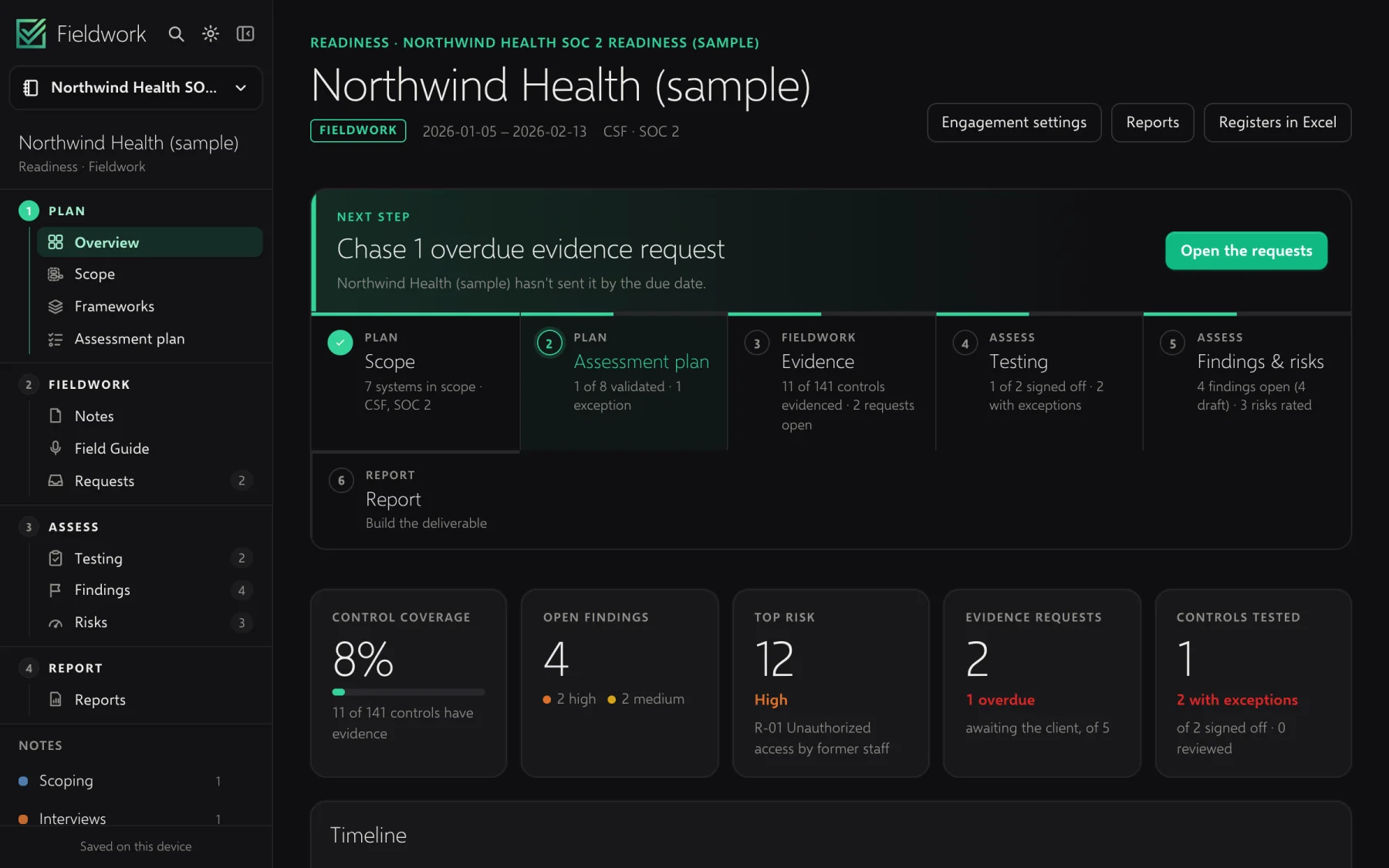
One engagement, start to finish
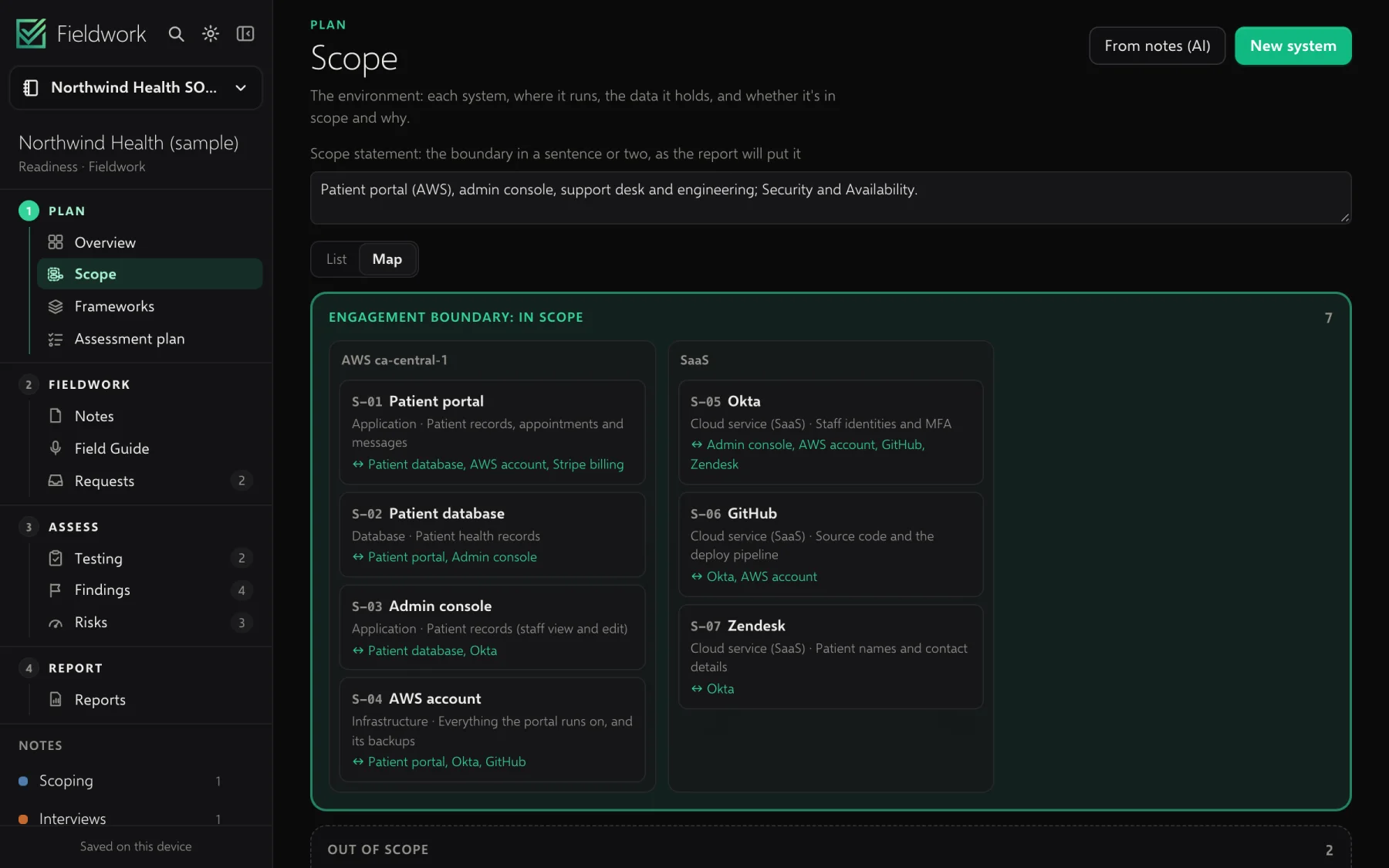
An engagement in Fieldwork is a notebook that knows what it's for: the client, the frameworks in scope, the plan. What you scope becomes the plan; what you hear becomes evidence; what fails a test becomes a finding; and the findings become the report.
Field Guide
What to ask next and the gaps as you hear them. When the client shares a system you've never used, it shows you where to click, so you lead the walkthrough like you run it every day.
An illustration of a call about access, with sound you can turn on. As the client talks, Field Guide suggests what to ask and notes the gaps; when she shares her admin console, it outlines where to click on your screen, then saves what's shown into your notes.
See it end to end
Fieldwork for teams
Make your firm a team. Admins decide who works on which engagement, project managers staff their own, and everyone works in the same notebook, live.
People
Engagements
They leave every engagement at once, and what they own passes to you.
Security
Fieldwork is a desktop app first. What you share is encrypted on your computer before it leaves, so our server stores and passes on data it can't read.
Every edit, picture, comment and engagement name is encrypted with the notebook's own key. When someone leaves, the notebook moves to a new key they never get.
Your key lives on your devices, backed up by a recovery key only you hold. Safety codes let you check a colleague's key on a call.
Notebooks you don't share never leave your computer. Password-protected sections stay on it, even in shared engagements. It all works offline.
Run the sync server in your own cloud, and set a firm policy every copy of Fieldwork follows: which server, and whether AI and sharing are allowed.
Pricing
Start on your own and bring your firm when you're ready. Your engagements come with you.
For consultants working on their own.
Freeduring early access
Download for MacFor firms and audit teams that share the work.
Freeduring early access, then per person
Bring your firmQuestions
No. Fieldwork is a notebook in its own right: sections, pages, tables, ink and tags. If your notes are in OneNote today, Fieldwork opens your .one files and notebooks, page history included.
Yes. Everything is on your computer. In a shared engagement, what you change offline is sent when you're back online and merges with everyone else's changes.
On your computer, in a folder you can see. Engagements you share sync through Fieldwork's server in the United States, encrypted end to end, or through your firm's own server if it runs one.
Claude, with your own Anthropic key. It reads only what you ask it to work on, and everything it writes is marked as a draft until you review it. You can turn AI off entirely, or your firm can for everyone.
No. They get a link to their evidence portal, sign in with a code sent to their email, and upload what you asked for. Connected checks run from the same page.
An admin takes them out of the team: they leave every engagement at once, what they owned passes to the admin, and each engagement moves to a new key. Their copy stays as a read-only archive, unless the admin chooses to have it removed from their computer.
Free during early access, for you and for your firm.